
Description
Overview (CP-7841-K9)
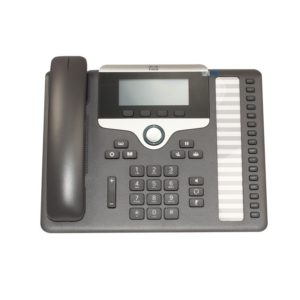
The Cisco IP Phone 7841 delivers advanced IP Telephony features and crystal clear wideband audio performance to deliver an easy-to-use, full-featured voice communications experience on Cisco on-premises and hosted infrastructure platforms and third party hosted call control.
Quick Specs
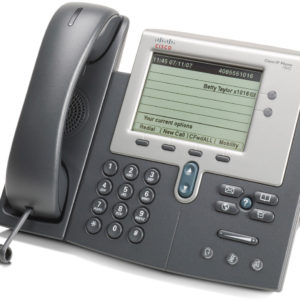
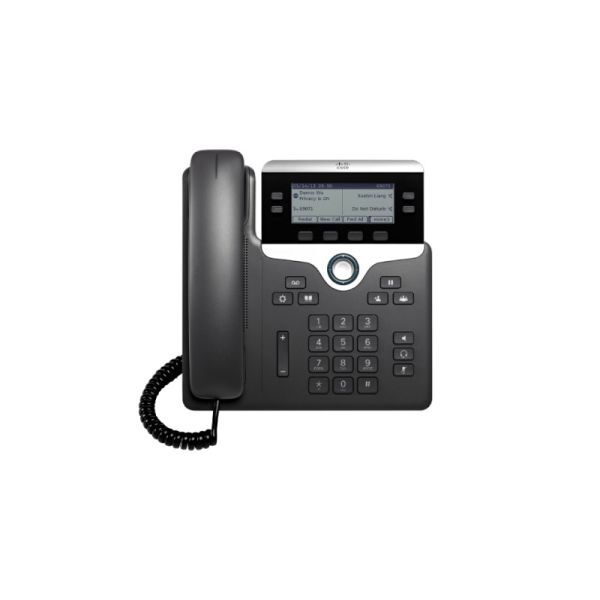
Figure 1 shows the appearance of the CP-7841-K9.

Table 1 shows the Quick Spec.
| Product Code | CP-7841-K9 |
| Screen | 396 x 162 pixel (3.5 in. / 89 mm) |
| Ethernet Switch | 10/100/1000 |
| Programmable Line Keys | 4 |
| Full Duplex Speakerphone | Yes |
| Number of Line Keys | 4 |
| Wideband Audio | Yes |
| PoE Class | 1 |
| Third-party Call Control | Yes |
| Replaceable Bezel | Yes |
| Package Weight | 1.6 Kg |
Product Details
Before you use the Cisco IP Phone 7841, it should be connected to the corporate IP telephony network.
Figure 2 shows the bottom ports of this IP Phone.

Note:
| Number | Description |
| ① | AC power wall plug (optional) |
| ② | Network port (10/100 SW) connection. IEEE 802.3af power enabled. |
| ③ | Access port (10/100 PC) connection. |
| ④ | Auxiliary port (optional). |
| ⑤ | Handset connection. |
| ⑥ | Analog headset connection (optional). |
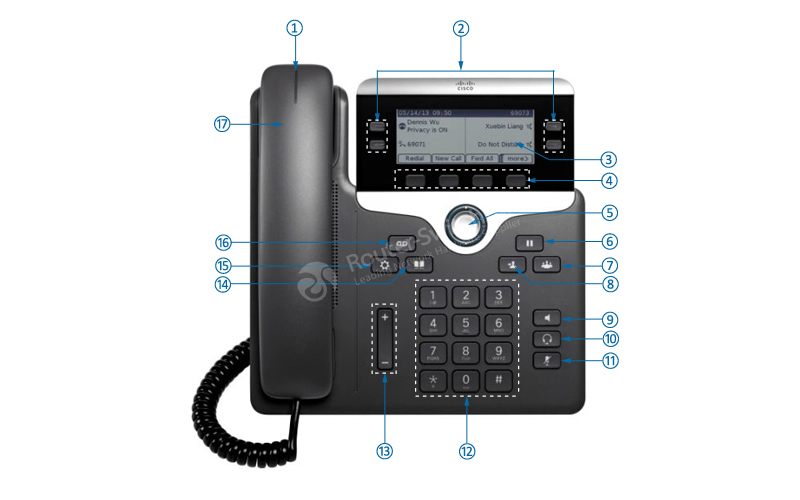
Figure 3 shows the buttons and hardware.
Note:
| Number | Buttons | Number | Buttons |
| ① | Handset light strip | ⑩ | Headset button |
| ② | Programmable feature buttons | ⑪ | Mute button |
| ③ | Phone screen | ⑫ | Keypad |
| ④ | Softkey buttons | ⑬ | Volume button |
| ⑤ | Navigation and Select button | ⑭ | Contacts button |
| ⑥ | Hold/Resume button | ⑮ | Applications button |
| ⑦ | Conference button | ⑯ | Messages button |
| ⑧ | Transfer button | ⑰ | Handset |
| ⑨ | Speakerphone button | ||
Datasheet Download
Cisco 7800 IP Phone Datasheet.pdf
Get more information
Do you have any question about the Cisco IP Phone 7841/K9